Multi-Console Session Capacities
A session is a networked system of one or more Eos devices, consisting of a Host (the Primary and optional Backup) that a varying number of optional client devices connect to and synchronize with. The Host devices determine how many address outputs are initially available and which other devices can be added to the session. In supported sessions, you may increase the available outputs of your system using Eos Expansion Processing.
Device Outputs and Licenses
Eos devices are purchased with a license to communicate with a set number of data addresses, referred to as outputs. Some devices have two output license options, base and unlocked. Overall system output counts are determined in the following ways, based on the type of session:
- Single console sessions - the output of the Primary.
- Multi-console sessions - the lower of the Primary and Backup device outputs. Client device output counts do not contribute.
- Expansion processing sessions - the lower of the Primary and Backup device outputs. Client device output counts do not contribute. Expansion processors stack their outputs until the session capacity or the EEP-BEEP limit has been reached, whichever comes first.
- Multiple sessions on the same network - each session is treated as its own instance, subject to the output count rules above.
Devices can each contribute a maximum of 24,576 output addresses to a session, even if their individual output count is higher. A maximum of 99,999 channels may be patched per session. A range of Allowed Outputs for your Eos console can be configured in the Eos Configuration Utility (ECU) under Settings > Network > Device.
For more information on specific Eos Family devices, see the individual overviews in Eos Family Product Overview and Setup, which are also linked underneath individual devices below.
Session Capacities
Session capacities are based on the Host devices managing the session. If two different classes of hardware are used in a Primary-Backup relationship, the session capacities are limited to the class of the lower device.
Use the tables below to determine the capacities for any potential sessions. Keep hardware-specific limitations in mind, especially the total number of supported addresses or universes, and the maximum number of Expansion Processor and Client devices supported by the session.
Apex Session Capacities
| Primary Host |
1 per session. |
|
|
|
|
|
| Eos Apex FP | Eos Apex 5 | Eos Apex 10 | Eos Apex 20 | Eos Apex Processor | ||
| Backup Host |
1 per session. |
|
|
|
|
|
| Eos Apex FP | Eos Apex 5 | Eos Apex 10 | Eos Apex 20 | Eos Apex Processor | ||
| Contribution | 24,576 addresses (48 universes). | |||||
| Expansion Processors |
Sessions utilizing Eos Expansion Processing are subject to Expansion Processing Session Capacities. | |||||
| Clients | Up to 15 per session. |
|
|
|
|
|
| ETCnomad (Windows and macOS) |
ETC Puck |
RVI RVI3 |
Eos Remote Interface | |||
| Quad Core + 8GB Minimum RAM Passmark CPU Benchmark: Multithread Score 5500+ Geekbench: Multithread Score 3000+ |
All Hardware | Windows 7 and Windows 10 Hardware | All Hardware | |||
|
|
|
|
|
|||
| Ion Classic
Ion RPU Classic |
Ion Xe
Ion Xe 20 Ion Xe RPU |
Eos Ti
Gio Gio @5 Eos RPU3 |
Eos Apex FP
Eos Apex 5 Eos Apex 10 Eos Apex 20 Eos Apex Processor |
|||
| Windows 7 Hardware | All Hardware | All Hardware | All Hardware | |||
| Maximum Session Capacity |
24,576 addresses (48 universes). | |||||
| Devices Supported |
Up to 17 Eos Family devices per session. | |||||
| Network Requirements |
Basic Managed Network Requirements are recommended. Eos Network Requirements may vary based on the scale and complexity of the system. | |||||





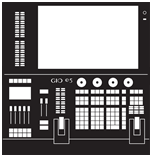
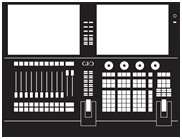
Gio @5, Gio, Eos Ti, and Eos RPU3 Session Capacities
| Primary Host |
1 per session. |
|
|
|
|
| Gio @5
(All Hardware) |
Gio
(All Hardware) |
Eos Ti
(All Hardware) |
Eos RPU3 (All Hardware) |
||
| Backup Host |
1 per session. |
|
|
|
|
| Gio @5
(All Hardware) |
Gio
(All Hardware) |
Eos Ti
(All Hardware) |
Eos RPU3 (All Hardware) |
||
| Contribution | 4,096, 16,384, or 24,576 addresses (8, 32, or 48 universes) depending on device licenses. | ||||
| Expansion Processors |
Sessions utilizing Eos Expansion Processing are subject to Expansion Processing Session Capacities. | ||||
| Clients | Up to 10 per session. |
|
|
|
|
| ETCnomad (Windows and macOS) |
ETC Puck |
RVI RVI3 |
Eos Remote Interface | ||
| Quad Core + 8GB Minimum RAM Passmark CPU Benchmark: Multithread Score 5500+ Geekbench: Multithread Score 3000+ |
All Hardware | Windows 7 and Windows 10 Hardware | All Hardware | ||
|
|
|
|
|
||
| Ion Classic
Ion RPU Classic |
Ion Xe
Ion Xe 20 Ion Xe RPU |
Eos Ti
Gio Gio @5 Eos RPU3 |
Eos Apex FP
Eos Apex 5 Eos Apex 10 Eos Apex 20 Eos Apex Processor |
||
| Windows 7 Hardware | All Hardware | All Hardware | All Hardware | ||
| Maximum Session Capacity |
4,096, 16,384, or 24,576 addresses (8, 32, or 48 universes) depending on device licenses. | ||||
| Devices Supported |
Up to 12 Eos Family devices per session. | ||||
| Network Requirements |
Basic Managed Network Requirements are recommended. Eos Network Requirements may vary based on the scale and complexity of the system. | ||||

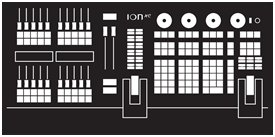
Ion Xe Session Capacities
| Primary Host |
1 per session. |
|
|
|
|
| Ion Xe
(All Hardware) |
Ion Xe 20
(All Hardware) |
Ion Xe RPU
(All Hardware) |
|||
| Backup Host |
1 per session. |
|
|
|
|
| Ion Xe
(All Hardware) |
Ion Xe 20
(All Hardware) |
Ion Xe RPU
(All Hardware) |
|||
| Contribution | 2,048 or 12,288 addresses (4 or 24 universes) depending on device licenses. | ||||
| Expansion Processors |
Sessions utilizing Eos Expansion Processing are subject to Expansion Processing Session Capacities. | ||||
| Clients | Up to 10 per session. |
|
|
|
|
| ETCnomad (Windows and macOS) |
ETC Puck |
RVI RVI3 |
Eos Remote Interface | ||
| Quad Core + 8GB Minimum RAM Passmark CPU Benchmark: Multithread Score 5500+ Geekbench: Multithread Score 3000+ |
All Hardware | Windows 7 and Windows 10 Hardware | All Hardware | ||
|
|
|
|
|
||
| Ion Classic
Ion RPU Classic |
Ion Xe
Ion Xe 20 Ion Xe RPU |
Eos Ti
Gio Gio @5 Eos RPU3 |
Eos Apex FP
Eos Apex 5 Eos Apex 10 Eos Apex 20 Eos Apex Processor |
||
| Windows 7 Hardware | All Hardware | All Hardware | All Hardware | ||
| Maximum Session Capacity |
2,048 or 12,288 addresses (4 or 24 universes) depending on device licenses. | ||||
| Devices Supported |
Up to 12 Eos Family devices per session. | ||||
| Network Requirements |
Basic Managed Network Requirements are recommended. Eos Network Requirements may vary based on the scale and complexity of the system. | ||||
ETCnomad, ETC Puck, Ion Classic, and Ion RPU Classic Session Capacities
| Primary Host |
1 per session. |
|
|
|
|
| ETCnomad (Windows and macOS) |
ETC Puck (All Hardware) |
Ion Classic
(Windows 7 Hardware) |
Ion RPU Classic (Windows 7 Hardware) |
||
| Backup Host |
1 per session. |
|
|
|
|
| ETCnomad (Windows and macOS) |
ETC Puck (All Hardware) |
Ion Classic
(Windows 7 Hardware) |
Ion RPU Classic (Windows 7 Hardware) |
||
| Contribution | 1,024 or 6,144 addresses (2 or 12 universes) depending on device licenses. | ||||
| Expansion Processors |
Eos Expansion Processing is not supported with Ion Classic, Puck, or ETCnomad Primary or Backup Hosts. | ||||
| Clients | Up to 5 per session. |
|
|
|
|
| ETCnomad (Windows and macOS) |
ETC Puck |
RVI RVI3 |
Eos Remote Interface | ||
| Quad Core + 8GB Minimum RAM Passmark CPU Benchmark: Multithread Score 5500+ Geekbench: Multithread Score 3000+ |
All Hardware | Windows 7 and Windows 10 Hardware | All Hardware | ||
|
|
|
|
|
||
| Ion Classic
Ion RPU Classic |
Ion Xe
Ion Xe 20 Ion Xe RPU |
Eos Ti
Gio Gio @5 Eos RPU3 |
Eos Apex FP
Eos Apex 5 Eos Apex 10 Eos Apex 20 Eos Apex Processor |
||
| Windows 7 Hardware | All Hardware | All Hardware | All Hardware | ||
| Maximum Session Capacity |
1,024 or 6,144 addresses (2 or 12 universes) depending on device licenses. | ||||
| Devices Supported |
Up to 7 Eos Family devices per session. | ||||
| Network Requirements |
Basic Managed Network Requirements are recommended. Eos Network Requirements may vary based on the scale and complexity of the system. | ||||
Element and Element Mode Session Capacities
| Primary Host |
1 per session. |
|
|
|
|
| ETCnomad (Windows and macOS) |
ETC Puck (All Hardware) |
Element 2
(All Hardware) |
Element Classic (Windows 7 Hardware) |
||
| Backup Host |
1 per session. |
|
|
|
|
| ETCnomad (Windows and macOS) |
ETC Puck (All Hardware) |
Element 2
(All Hardware) |
Element Classic (Windows 7 Hardware) |
||
| Contribution | 1,024 or 6,144 addresses (2 or 12 universes) depending on device licenses. | ||||
| Expansion Processors |
Eos Expansion Processing is not supported with Primary or Backup Hosts that are Element devices or devices booted into Element mode. | ||||
| Clients | Up to 5 per session. |
|
|
|
|
| ETCnomad (Windows and macOS) |
ETC Puck |
RVI RVI3 |
Eos Remote Interface | ||
| Quad Core + 8GB Minimum RAM Passmark CPU Benchmark: Multithread Score 5500+ Geekbench: Multithread Score 3000+ |
All Hardware | Windows 7 and Windows 10 Hardware | All Hardware | ||
|
|
|
|
|
||
| Ion Classic
Ion RPU Classic |
Ion Xe
Ion Xe 20 Ion Xe RPU |
Eos Ti
Gio Gio @5 Eos RPU3 |
Eos Apex FP
Eos Apex 5 Eos Apex 10 Eos Apex 20 Eos Apex Processor |
||
| Windows 7 Hardware | All Hardware | All Hardware | All Hardware | ||
| Maximum Session Capacity |
1,024 or 6,144 addresses (2 or 12 universes) depending on device licenses. | ||||
| Devices Supported |
Up to 7 Eos Family devices per session. | ||||
| Network Requirements |
Basic Managed Network Requirements are recommended. Eos Network Requirements may vary based on the scale and complexity of the system. | ||||