Modifying Augment3d Objects
The Position, Scale, and Rotation of any object in an Augment3d model can be modified using one of the associated tools in the toolbar. See Edit Mode Tools
Selecting one of the modification tools from the toolbar puts the selected object or objects into the corresponding modification mode (Move, Scale, and Rotation, as seen left-to-right below).
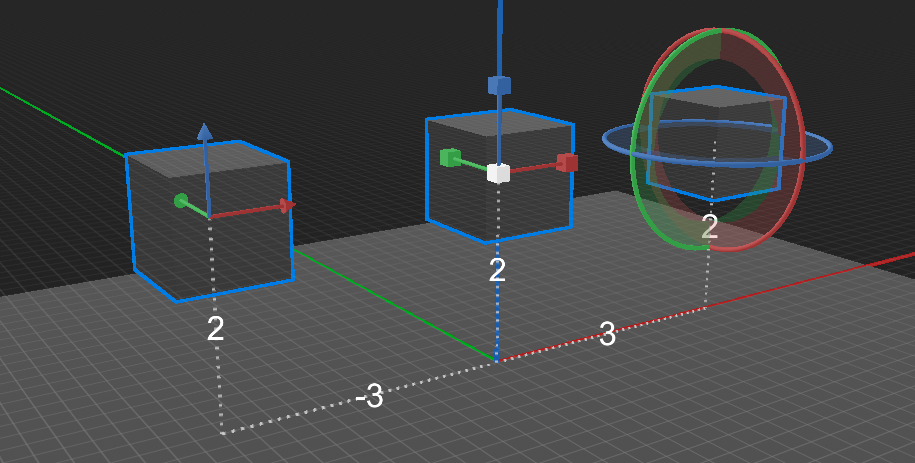
These parameters can also be modified using the quick buttons in the Inspector. See Rotation.
Position
Select the Move tool. Drag on any of the X/Y/Z axes to move the object in that direction. Objects that have been moved away from their 0,0,0 default position will display a trail and distance measurement back to the Origin.
Scale
Select the Scale tool. Drag on any of the X/Y/Z axes to enlarge the object in that direction. Drag on the white center box to scale all dimensions proportionally.
Rotation
Select the Rotate tool. Drag on any of the X/Y/Z axes to rotate the object in that direction. The point around which the rotation occurs can be defined in the Inspector. See Pivot.