Device Profiles
The configuration settings of any device that has joined your Eos system are saved in your show file as device profiles. You can select a profile to overwrite your current device's settings entirely, or select partial settings from a profile to copy.
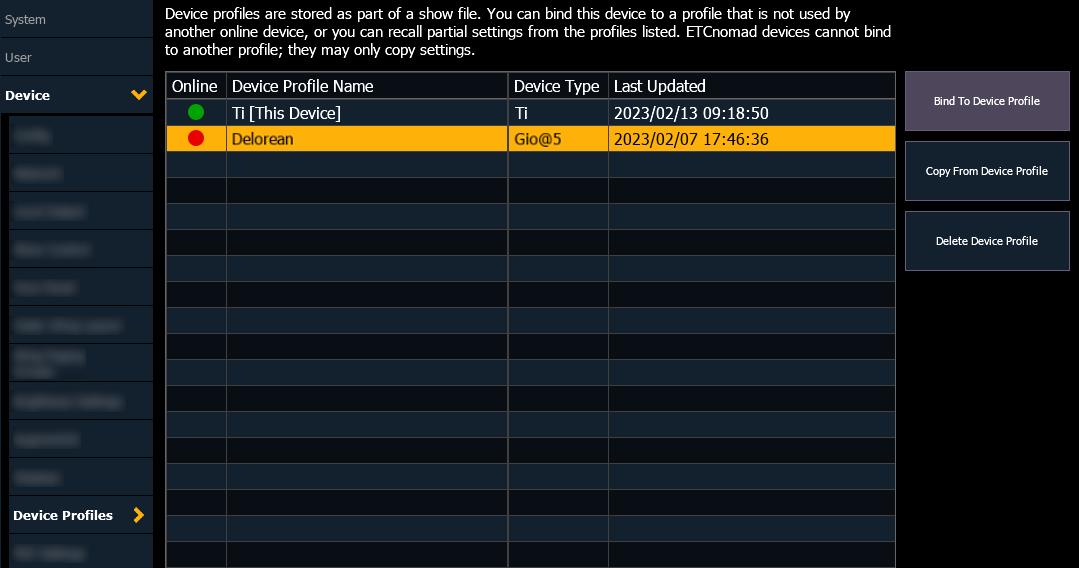
The table displays all device profiles saved in the show file, including the online status, name, and type of the associated device in the system.
Device profiles are updated automatically whenever the associated device syncs with the system. The date and time of the most recent update are also displayed in the table.
{Bind To Device Profile}
Binds your current device to the profile selected in the table. The associated device must be offline. This will overwrite your current configuration data, including network interface settings, device name, and local output settings, with that from the offline device's profile.
After binding your device to a profile, it must be restarted.
Note: ETCnomad devices cannot be bound to another profile, and may only copy settings.
{Copy From Device Profile}
Choose individual settings from the selected profile to copy to your current device. The following settings can be copied:
- Network (Protocols) - sACN and Art-Net settings for any Ethernet ports.
- These settings can only be copied between like devices, and cannot be copied from ETCnomad to a console or vice versa.
- Local Output (DMX) - DMX and RDM settings for any DMX ports or Gadgets.
- Show Control - all settings from Device > Show Control.
- Face Panel - all settings from Device > Face Panel.
- Fader Wing Layout* - all settings from Device > Fader Wing Layout.
- Brightness Settings (Presets) - presets 1, 2, and 3 from Device > Brightness Settings and Presets. No current brightness levels will be modified.
- Displays - all settings from Device > Displays.
- Saved Shell Settings* - all settings not migrated from the shell (ECU). See Eos Configuration Utility (ECU).
- These settings can only be copied between like devices, and cannot be copied from ETCnomad to a console or vice versa.
Any settings marked with an asterisk (*) will require a restart to apply. Certain settings may be unavailable to copy while the device is online.
{Delete Device Profile}
Removes the selected profile from the show file. The associated device must be offline. If the device rejoins your system, its profile will reappear in the list.