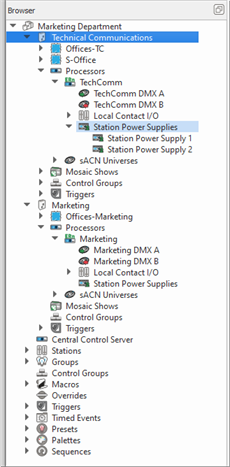
Station Power Supplies are added to a configuration in the Browser by simply right-clicking on the Paradigm Processor node and selecting "Create Network Station Power Supply" from the context menu. The new Station Power Supply is created and stored under the selected node and its properties display in the Property Editor.
Note: While in Basic access mode, the Station Power Supply node will not be present in the Browser unless a Station Power Supply has been added into the configuration.
See Station Power Supply Properties for information to configure the NSPS and the related Station Properties, Photo Sensor Properties, Occupancy Sensor Properties, or Paradigm Mobile Station Properties for details to configure the device Interface property to the new configured Network Station Power Supply.