
Transitions
Transition properties are supported for page transitions on a touchscreen when configured as part of an action or gesture.
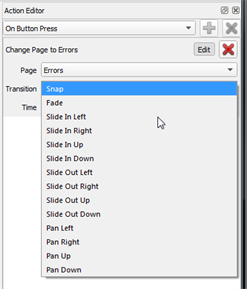
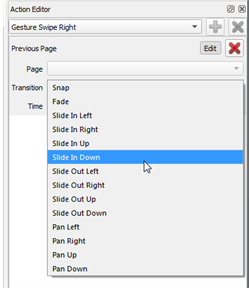
- Snap - the incoming page appears instantly
- Fade - the incoming page fades in over the outgoing page
- Slide In Left - the incoming page slides in from the left
- Slide In Right - the incoming page slides in from the right
- Slide In Up - the incoming page slides in from the bottom
- Slide In Down - the incoming page slides in from the top
- Slide Out Left - the outgoing page slides in from the left
- Slide Out Right - the outgoing page slides in from the right
- Slide Out Up - the outgoing page slides in from the bottom
- Slide Out Down - the outgoing page slides in from the top
- Pan Left - the incoming page slides in from the left and the outgoing page slides out of the right
- Pan Right - the incoming page slides in from the right and the outgoing page slides out of the left
- Pan Up - the incoming page slides in from the top and the outgoing page slides out of the bottom
- Pan Down - the incoming page slides in from the bottom and the outgoing page slides out of the top