
ControlDesigner Software Introduction
Paradigm ControlDesigner Software is used to create graphical layouts and page navigation for Unison Paradigm Touchscreen stations. ControlDesigner Software allows a user to create pages with buttons, labels, faders, keypads, popups, clocks and other control attributes in a graphical drag and drop interface.
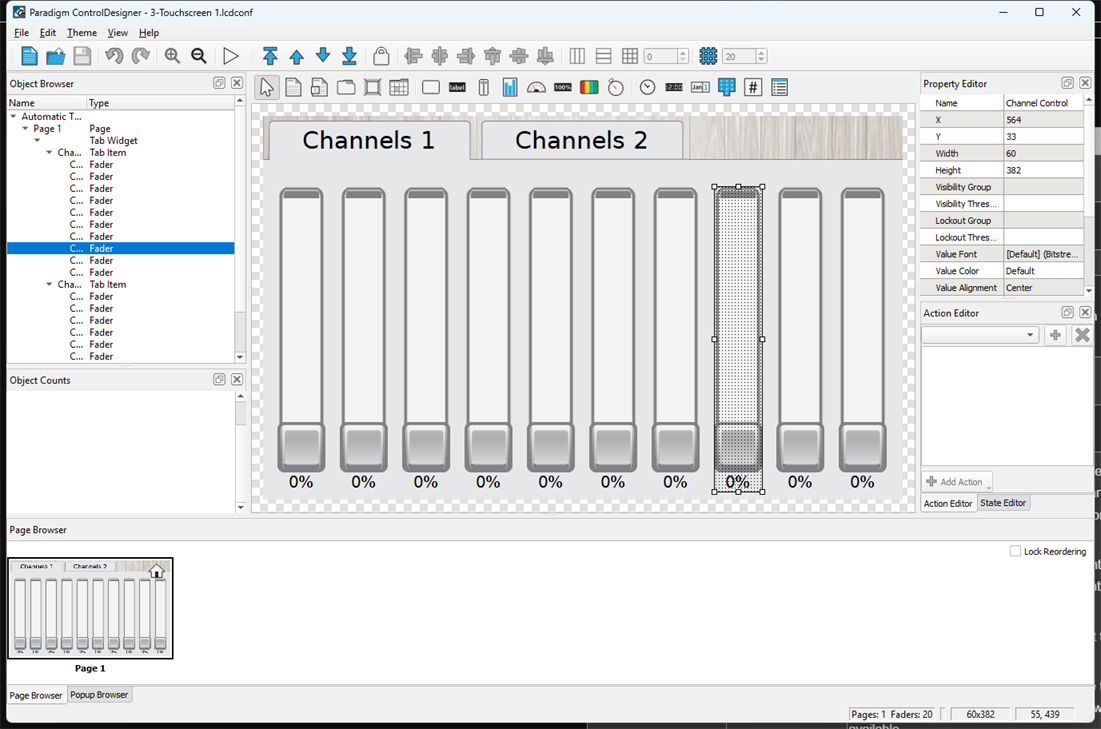
An Object Browser provides easy navigation between pages and controls while creating the configuration. The Action Editor and State Editor provide the required flexibility to create simple or complex touchscreen graphic interfaces. The Property Editor is displayed in most views to allow complete customization and editing of control parameters. ControlDesigner features a simulation mode which allows you to simulate how a page with its controls and navigation will display on a Paradigm Touchscreen.
With the built-in ThemeDesigner application, a user can also create their own skins to have a unique look for their individual application. Reference the built‑in ThemeDesigner online help system for assistance.