
Error Table
Error Tables are used in touchscreen configurations to show current Net3 system errors on a touchscreen. This feature is available for Paradigm Central Control Server systems only.
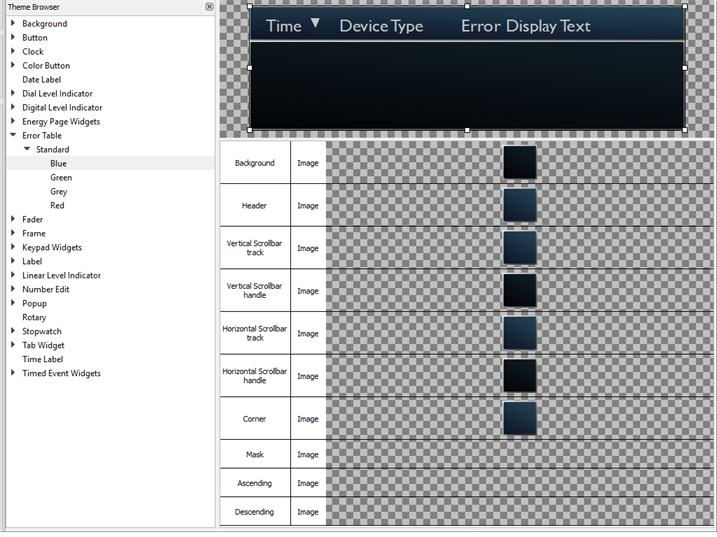
The following skin elements are supported by the Error Table:
- Background - drawn underneath any text and/or icons with the error table
- Header - defines the top bar above the error table
- Vertical Scrollbar track - identifies the fader track for the vertical scrollbar handle
- Vertical Scrollbar handle - identifies the fader handle for the vertical scrollbar, enabling scrolling vertically in the table view
- Horizontal Scrollbar track - identifies the fader track for the horizontal scrollbar handle
- Horizontal Scrollbar handle - identifies the fader handle for the horizontal scrollbar, enabling scrolling horizontally in the table view
- Corner - image drawn on the bottom right corner of the element, anchoring the horizontal and vertical scrollbars (commonly left blank)
- Mask – see Mask Element
- Ascending - image drawn on the corner of the Time element that enables sorting of the table data, ascending meaning newest to oldest
- Descending - image drawn on the corner of the Time element that enables sorting of the table data, descending meaning oldest to newest