
Clock
Clocks support two different skin sets including analog and digital.
 Analog Clock
An analog clock is a rotary clock in 12 hour format that support the following elements:
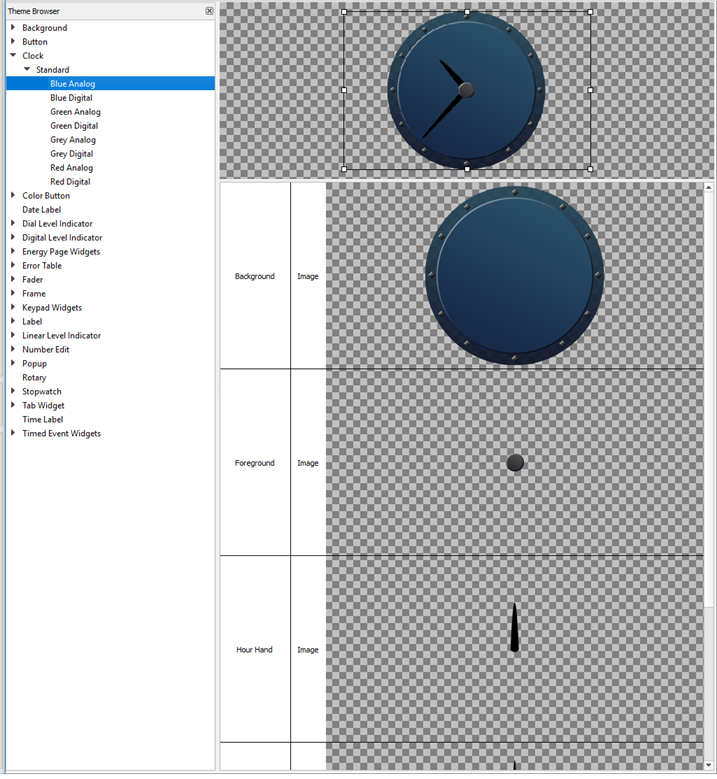
- Background - drawn underneath the clock hands.
- Foreground - drawn above the clock hands.
- Hour hand - the hour hand (the image will be rotated according the current hour time).
- Minute hand - the minute hand (the image will be rotated according the current minute time).
- Second hand - the second hand (the image will be rotated according the current second time).
- Mask - sets a boundary for the skin, typical use would include a mask that is the same size as the entire skin
Tip: When creating analog clock skin the Background resource and all hand resources should be created to the same size (example 256x256 pixels) with the hands located with the end point in the center of the pixel area. This allows the resources to properly stack. Set the scaling to zoom, and the clock will scale properly while maintaining the hands proper location on the background.
Digital Clock
A digital clock requires image resources for each character to be displayed on the clock. A generic Time Label skin will be drawn on a digital clock using a standard font.
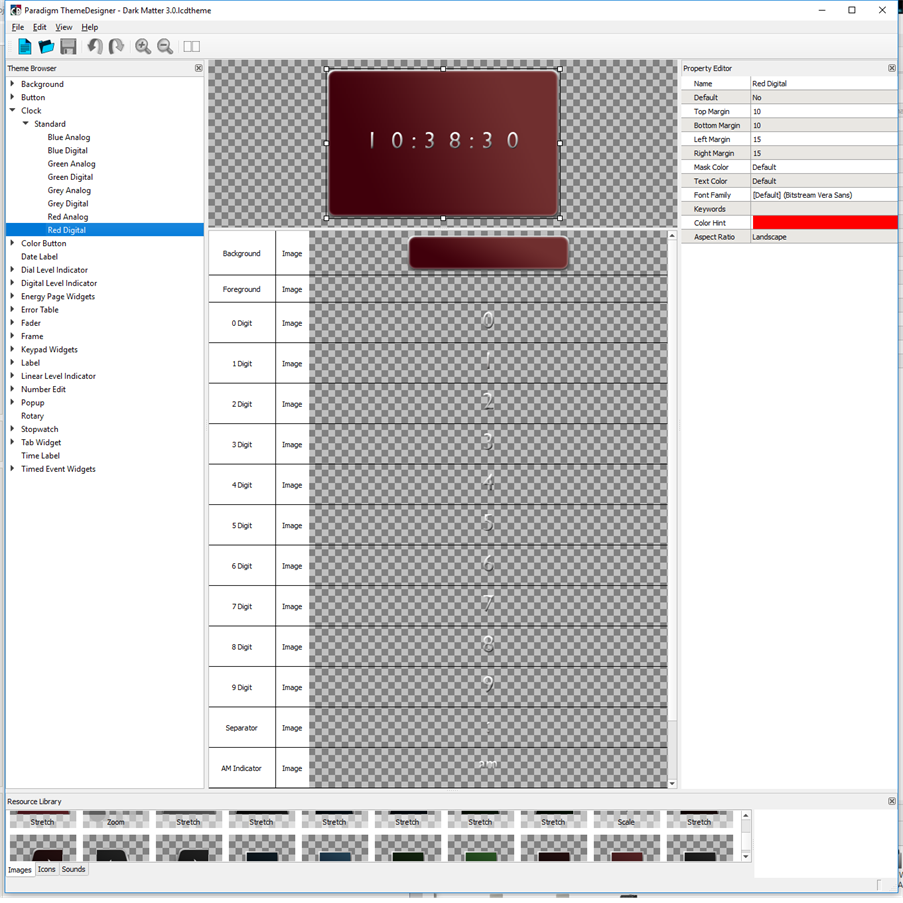
The following skin elements are supported by the Digital Clock:
- Background - drawn underneath the digits.
- Foreground - drawn above the digits.
- 0-9 digit - the numbers used to show the time
- Separator - the separator between hours and minutes
- AM Indicator - the time of day indicator
- PM Indicator - the time of day indicator
- Mask - sets a boundary for the skin, typical use would include a mask that is the same size as the entire skin
Note: The "Digital Trans" skin has a transparent background image.