Layout Mode
Press and hold a cell on the stage map, or go to Setup > Layout Mode to open the layout screen.
When in layout mode, the screen displays as a grid. Press and drag fixtures to move them to another position on the grid.
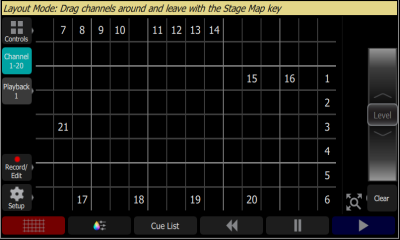
Press the Stage Map button (left-most button below the screen) to exit the layout mode.