Goto 0
Cue 0 does not exist as a real cue. It is an imaginary cue before the first cue.
Press Goto 0 to take all levels from the cue list to zero, and prepare the crossfader for the first cue.

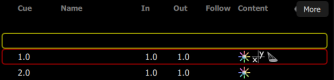
Automatic follow behavior is disabled in order to edit cue 0. The cue list will show a blank line as the active cue, and the first cue will be displayed in red to indicate that it is the next cue.