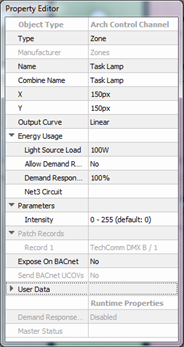
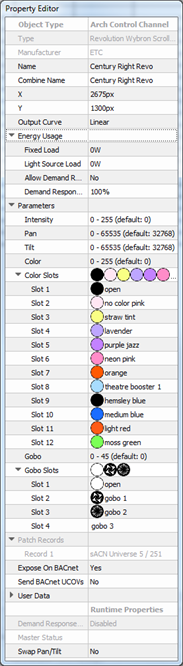
Selecting a channel displays its properties in the Property Editor. Depending on the type of channel selected, a simple "intensity only" dimmer or a multi-parameter fixture, the individual parameters for each channel type can vary.
Tip: The "Type" field is editable only if the selected channel is of a type from the Zone Library. Selecting the field provides a drop down menu with the selection from the Zone Library.
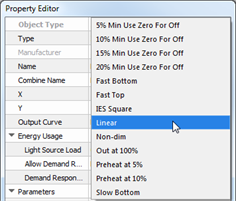
Output Curve - set the output curve for your patch records.
Net3 Space - property for configuring the index value (acceptable range 1-255) for the related space that contains measured loads for Paradigm's Energy Management reporting feature.
Note: Net3 Space values are a container for channels with Net3 Circuit values within that space. Channels that are in sub-spaces require their own Net3 Space value. Each space and sub-space must have a unique Net3 Space number.
Net3 Circuit - property for configuring the index value (acceptable range 1-65535) for the related load within a configured Net3 Space. The related circuit data is stored in Net3 Conductor and recalled for Paradigm's Energy Management reporting feature.
Note: A channel's Net3 Circuit property displays for specification only after the Net3 Space property is specified for the containing space. Net3 Circuits must have a unique Net3 Space and Net3 Circuit number. If a channel receives its Net3 Circuit value through an import load schedule process, but without a Net3 Space value specified, errors will generate in the Error Browser for user resolution.
Note: A multi-parameter channel with gobos will display the "Gobo Slots" and "Gobo Slots 2" already populated with factory defaulted gobos as defined in the fixture library. Reference the Fixture Library Notes for definition of what a particular fixture profile may include.
 Related Topics