Timing Data
Timing data is given in the form of (hours) : (minutes) : (seconds) : (frames). Therefore a timing value of 06:25:15:24 would be 6 hours, 25 minutes, 15 seconds, 24 frames.
The number of frames per second is determined by the timing source and the event list must be set to this same number of frames when programming. Number of frames can be 24, 25, or 30.
Color Coding
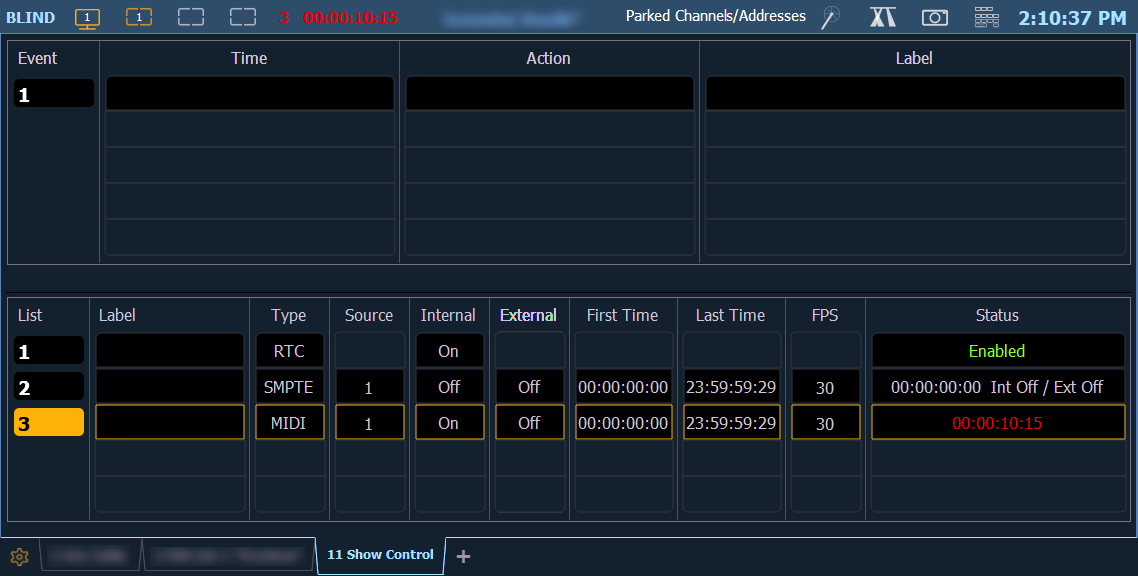
The color of the time in the Status column of the event list display indicates the source of the timing data. The colors and indications are:
- Green - Valid external timing is being received.
- Red - The internal clock is the data source and is running.
- Gray - No timecode is being received from internal or external sources.
Timecode Indicator
You will see an indicator in the upper portion of the main display if valid internal or external time is seen.
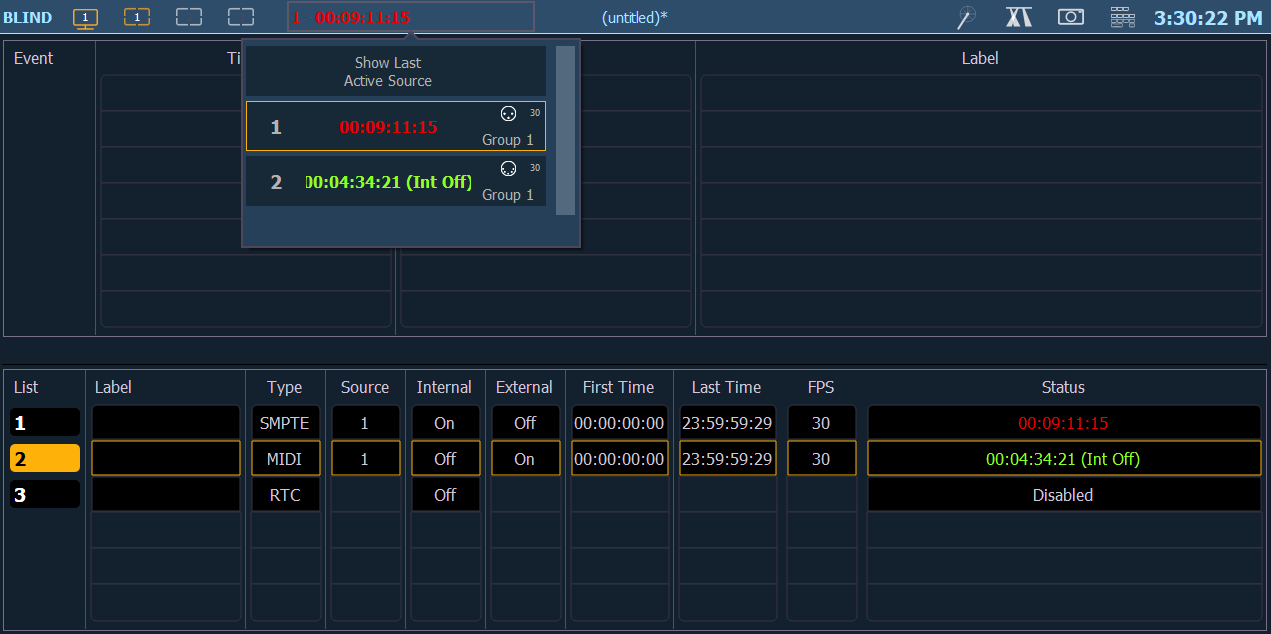
Select the indicator to see a dropdown menu of all active timecode sources. The menu shows the List number, list label (if any), current time (if any), a symbol for MIDI/SMPTE, subscript for framerate, and the list group ID.
Selecting {Show Last Active Source} will display the last active timecode source in the upper portion of the main display after the dropdown is closed. The selected list can be stored in Snapshots.