View
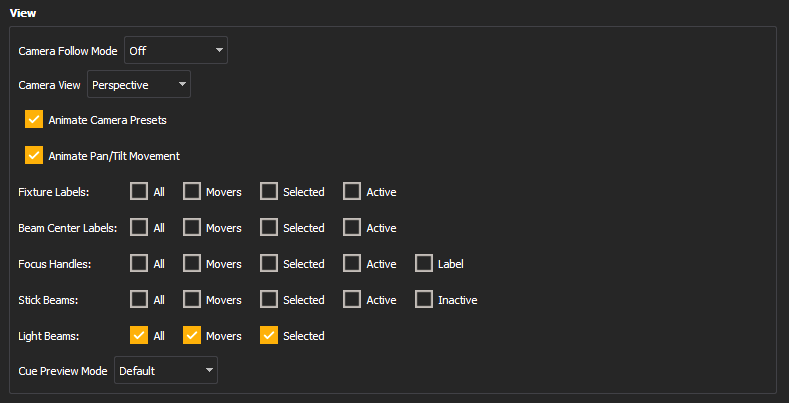
Camera Follow Mode
Toggles Camera Follow Mode between Off and Fixture POV, which switches the camera view to that of the first selected fixture. Also available in Toolbar > Camera.
Camera View
Toggles between Perspective and Orthographic view. Also available in Toolbar > Camera.
Animate Camera Presets
Toggles animation while moving between camera presets.
Animate Pan/Tilt Movement
Toggles animation of automated fixtures. Also available in Toolbar > Focus.
Fixture Labels
Toggles labels over the fixture body for all, automated, selected, and / or active fixtures. Also available in Toolbar > Labels.
Beam Center Labels
Toggles labels in the center of the simulated beam for all, automated, selected, and / or active fixtures. Also available in Toolbar > Labels.
Focus Handles
Toggles beam-end handles for all, automated, selected, and / or active fixtures, and text labels for each handle. Also available in Toolbar > Labels.
Stick Beams
Toggles Stick Beams for all, automated, selected, active, and / or inactive fixtures. Also available in Toolbar > Labels.
Light Beams
Toggles beams for all, automated, or selected fixtures. Also available in Toolbar > Light.
Cue Preview Mode
Toggles Cue Preview between Default (off) and Pending Cue. Pending Cue mode allows Augment3d to display a virtual preview of the look used in the next upcoming cue. Also available in Toolbar > Options.