Console Status
This display shows informational, advisory, or warning messages about your device. Console Status can be opened via Browser > Setup.
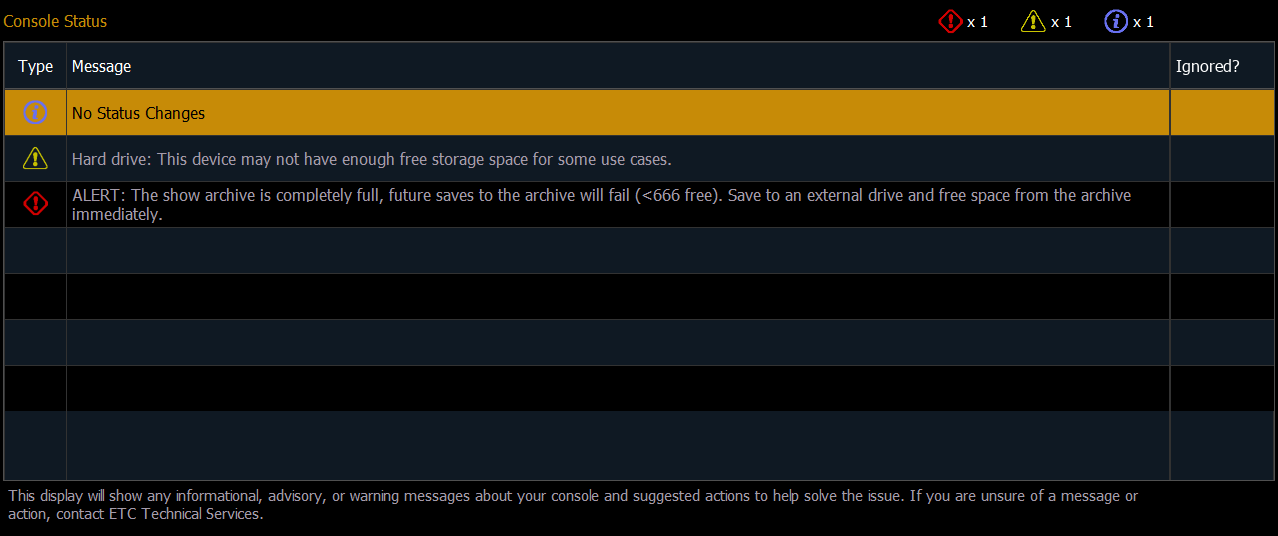
The Type column displays the category of the message:
| Message Type | Icon | Description |
|---|---|---|
| Informational |

|
Instructional data that does not impact console functionality. |
| Advisory |

|
Console operation can continue, but with caution. |
| Warning |

|
Urgent issues that require immediate attention. |
The Message column displays the message details and any applicable suggested actions to help resolve the issue. The counter in the top-right displays the total quantity of each type of message. The column on the right indicates whether or not the message has been ignored.
Possible Status Messages
Hard Drives
- ALERT / Hard Drive / Show Archive
- This device does not have enough available hard drive space to operate safely.
- Minimum amount of free space recommended.
- The show archive is completely full, future saves to the archive will fail.
- Save to an external drive and free space from the archive as soon as possible.
Memory Problems
- Memory Fragmentation / System Memory
- Largest Free Block is under a certain amount.
- RAM usage is at or above a certain amount.
- Application memory usage is at or above a certain amount, which is close to exhausting addressable memory space.