
Timed Event Buttons
The Timed Event Button skin is used to draw event button controls that populate on the Timed Event Viewer Calendar and Agenda pages in a ControlDesigner configuration.
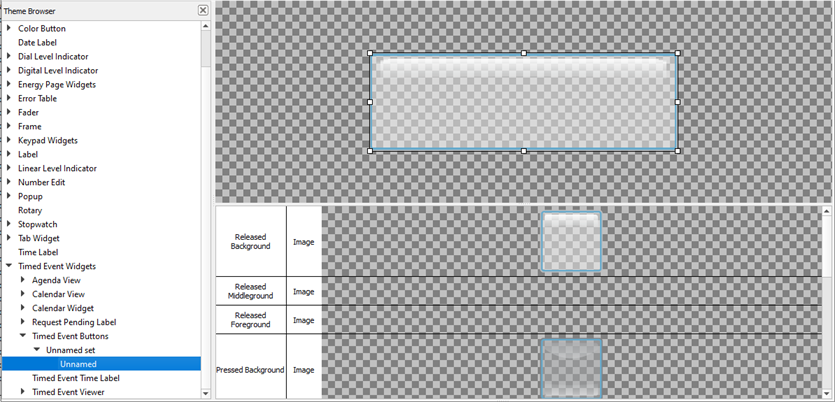
The following skin elements are supported by Timed Event Buttons:
- Released Background - drawn underneath any text and/or icons when the button is not pressed
- Released Middleground - drawn between the background and foreground when the button is not pressed
- Released Foreground - drawn above any text and/or icons when the button is not pressed down
- Pressed Background - drawn underneath any text and/or icons when the button is pressed down
- Pressed Middleground - drawn between the background and foreground when the button is pressed
- Pressed Foreground - drawn above any text and/or icons when the button is pressed down
- New Timed Event Icon - icon drawn on the button to add a new timed event
- Edit Timed Event Icon - icon drawn on the button to edit an existing event
- Delete Timed Event Icon - icon drawn on the button to delete a selected event
- Pressed (Sound) - the sound played when the button is pressed
- Released (Sound) - the sound played when the button is released